Do you feel that your site is not getting the adequate traffic? You post good content and have a nice website design. But still, your pages are not showing on the first page of Google. The problem may not be your effort but hidden SEO issues that block your success.
Many websites have simple errors that quietly damage rankings. You may not even notice them. A simple SEO technical audit checklist can help you find these problems. Then, you can fix them one by one.
When your site works well, search engines will trust it. That will improve website visibility on Google. You will get more traffic and customers. It is time to learn how to find and fix SEO problems on your website.
This guide breaks down the usual suspects and gives you real ways to fix them. You’ll figure out how to spot problems early and keep your site healthy. Ready? Let’s get started.
1- Is Your Website Struggling to Rank Despite Good Content?

Website traffic can drop without warning. The cause often hides in plain sight. Small problems quietly hurt your search visibility. You won’t see red flags right away. That’s why experts recommend regular audits. They catch issues before they become serious.
How often should you check your site? Most SEO agencies suggest every six months. If you work in a competitive field, check quarterly. Regular audits help you spot technical problems early. They keep you ahead of Google’s updates.
Search engines constantly change how they rank content. Sites that don’t adapt slide down in rankings. Routine checks help you find common SEO issues. They give you a plan to resolve problems fast. It will lead to less surprises and better long-term results.
2- Eight Significant SEO Issues and Achievable Solutions

Every SEO company encounters identical issues during audits. This includes:
- Broken links
- Duplicate pages
- Missing tags
These aren’t rare. They are just routinely missed. Here are what to check and how to correct it.
2.1- Broken Links and 404 Errors
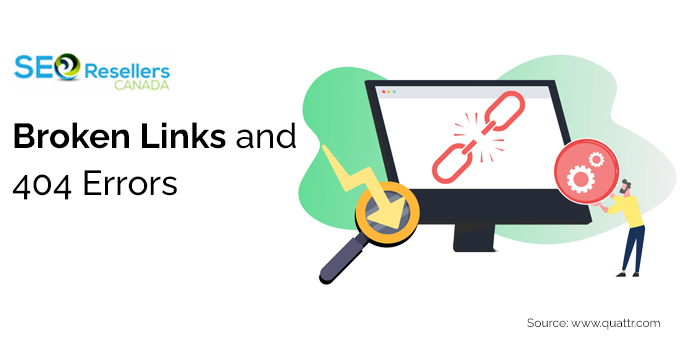
Broken links lead users to undefined destinations. They tell search engines your site isn’t maintained. This hurts user trust and your rankings. These errors pile up quietly over time. Pages move, URLs change, and external links break without notice.
A few broken links seem harmless. But they hurt crawlability and reduce your site’s authority.
How to fix: Run a link checker to identify dead links. Either update them, redirect them or eliminate them. When there is a page with a 404 error, create a custom error page. Take the users back to working content rather than leave them hanging.
2.2- Duplicate Content Issues
Search engines struggle when they find identical content on different pages. Duplicate content issues split your ranking power. The right page may not show up in search results. This problem is common on online stores and blogs with similar location pages.
How to resolve: Start with a content audit. Combine similar pages when possible. Use canonical tags to show which version matters most. Rewrite content to make each page unique and valuable.
2.3- Thin or Low-Value Content
Some pages look polished but lack substance. Thin content doesn’t help users. It’s short on information and full of fluff. Search engines spot this quickly. Pages without depth won’t rank well.
How to fix: Find pages with high bounce rates or low page time. Enhance them using authentic data. Answer follow-up questions. Add visuals and internal links. Anything that deepens value helps.
2.4- Keyword Stuffing and Over-Optimization

Years ago, cramming keywords into pages worked. Not anymore. Keyword stuffing now triggers penalties. It still appears in older content or DIY SEO efforts. Pages force keywords into every sentence. This ruins readability and hurts rankings.
How to resolve: Rewrite problem content. Focus on natural flow. Use synonyms and related terms. Vary your language. Put clarity over keyword repetition. Serve the user, not just the algorithm.
2.5- Missing or Poorly Optimized Meta Tags

The meta tags help search engines to comprehend your pages. Missing or duplicate tags weaken your visibility. They hurt your click-through rates. Meta tags shape how your content appears in search results. They matter now more than ever.
How to fix: Audit your tags using SEO tools. Every page needs a unique title with your target keyword. Write clear meta descriptions. Make them short and relevant to what the users are searching. Include meta description optimization in your on-page optimization checklist.
2.6- Slow Page Loading Speed

Slow pages frustrate users and kill rankings. Even a few seconds of delay sends visitors away. One of the known Google ranking factors is page speed. Yet it’s often overlooked. Too many plugins and huge images are the most popular causes of slow pages.
How to correct: Conduct a technical audit in order to detect slowing factors. Compress images. Remove unnecessary scripts. Enable browser caching. Switch to faster hosting. Keep users engaged long enough to convert.
2.7- Weak Mobile Usability
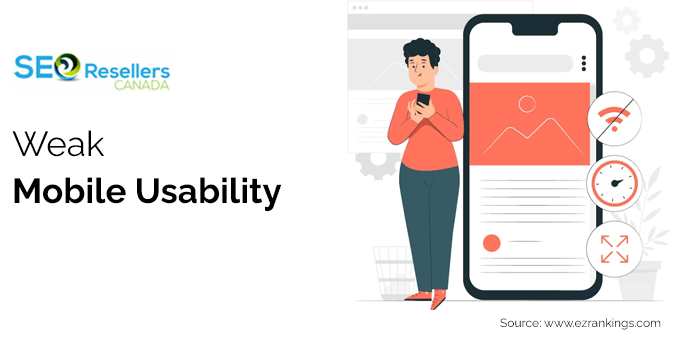
A site that works on desktop but fails on mobile is a liability. Google uses mobile-first indexing. The performance of your site on phones affects the ranking on other devices. Poor mobile usability is one of the largest landing page mistakes that you can commit.
How to Fix: Test mobile usability on Google Search Console. Apply responsive design concepts. Test on various devices. If users can’t navigate your site on a phone, they will leave. This damages your rankings.
2.8- Content That Fails to Match Search Intent
Well-written content can still miss the mark. It might look good and include keywords. But if it fails to answer the right questions, it will not perform. It attracts the wrong audience. Quick bounces signal to Google that your content isn’t helpful.
How to correct: Check pages with poor engagement. Ask if the content delivers real value. Rewrite with a clearer structure. Focus sharply on user intent. Make sure each page solves a specific problem.
Common SEO Issues at a Glance
| SEO Issue |
Impact |
Quick Fix |
| Broken Links |
Hurts crawlability and user trust |
Use link checker, update or redirect |
| Duplicate Content |
Splits ranking signals |
Consolidate pages, use canonical tags |
| Thin Content |
Low rankings, high bounce rate |
Add depth, answer questions, include visuals |
| Keyword Stuffing |
Penalties, poor readability |
Rewrite naturally, use synonyms |
| Missing Meta Tags |
Low visibility, poor click-through |
Audit and optimize each page |
| Slow Page Speed |
High bounce rate, lower rankings |
Compress images, reduce scripts |
| Poor Mobile UX |
Hurts mobile-first indexing |
Use responsive design, test devices |
| Wrong User Intent |
Quick bounces, no conversions |
Rewrite content, focus on intent |
3- Expert Tips for Smarter SEO Audits

An effective audit examines the overall picture. You must check:
- Technical health
- Content quality
- User experience
- Authority
The following are three areas to focus on.
3.1- Begin with an Effective Technical Audit
Make sure that your site can be indexed and crawled. Broken links, slow loading time and mobile issues must be checked. These fundamentals have direct impacts on how search engines access your content. Use your SEO technical audit checklist to keep things organized.
3.2- Evaluate Both On-Page and Off-Page SEO

Check your keywords, metadata, the quality of content and internal links. Review your backlink profile as well, find out which sites are improving your authority, and which links may be detrimental to your site. All of this matters for how useful and trustworthy your site feels.
3.3- Make User Experience a Priority

The element that will attract and retain customers on your site is a smooth and easy-to-use web experience. As long as the users are not leaving the site immediately, it will assist in reducing the bounce rate. This will influence your rankings positively. Keep your page and navigation user-friendly and well organized. Fixing common landing page mistakes will please your audience and increase your search ranking.
4- In conclusion
Even a well-designed site can have concealed SEO problems. Audits will help you discover them, but it is the fixing that actually enhances performance. The appropriate SEO team simplifies that.
A professional SEO agency will be able to resolve technical, on-page, and mobile usability issues with accuracy. Good content also enhances interest and fulfilling the user purpose.
Expert assistance enhances online presence and creates a stronger foundation for growth.
5- FAQs
5.1- What is the typical duration of an SEO audit?
The website determines the length of time. An audit of a small or medium-sized site usually takes one or two weeks. However, bigger sites take more time to check all the technical details properly.
5.2- Can the audit cause downtime or disruptions to my website?
No, SEO audits are based on external tools. They analyze your site without making any changes. Your live site remains unchanged unless you give the go-ahead and implement the recommended fixes.
5.3- How does SEO help the business get more leads or conversions?
Good SEO brings the appropriate traffic. When your site has appeared in high-intent searches and offers consumers a smooth user experience, conversions are bound to happen. Increased rankings would attract more experienced visitors who are ready to act.